Welcome as an exhibitor at
DALO Industry Days
On this page, you will find various practical information to help you get started with your participation at the exhibition.
Practical information
Prepare for your participation at the exhibition and make sure you get the most out of DALO Industry Days.
Exhibitor Manual keyboard_arrow_down
Here you will find practical information about the exhibition, including shipments, important deadlines, FAQs, and much more. You log in using the login details that we will send to you well in advance of the exhibition.
Log in here.
If you did not receive your login credentials, please contact us.
Technical orders keyboard_arrow_down
If you need additional lighting, power outlets, etc. for your stand, simply place your order in the Exhibition Shop, which you will find in the Exhibitor Manual.
The deadline for technical orders has now passed.
If you received your login credentials for the Exhibitor Manual after 15 June (for indoor stands) or 22 June (for outdoor stands), you have five business days to place technical orders for your stand in the Fair Shop, add them to your sketch plan, and email the drawing to teknisk@mch.dk.
If we receive your sketch plan more than five business days after you received your login credentials for the Exhibitor Manual, a 10% surcharge will be added to the total value of your order.
You can find the Fair Shop and your sketch plan in the Exhibitor Manual.
Idea and Design keyboard_arrow_down
Do you need help designing your stand?
Our Idea & Design department can assist you in designing your stand according to your wishes and needs. We are happy to arrange a non‑binding discussion where we can review ideas and possibilities together.
Contact us at info@daloindustrydays.dk
MCH 365: your online exhibitor profile keyboard_arrow_down
As an exhibitor at DALO Industry Days, you get your own exhibitor profile on the exhibition’s website.
Use texts, photos, and videos to promote your products, news, and events to the entire industry, and update your stand contacts so visitors can book meetings with you before the exhibition.
Log in here.
Shipments and Permits keyboard_arrow_down
If you need assistance with freight, truck services, storage of empty packaging, or similar, please contact Sand Spedition by phone at +45 97 14 51 00 or by email: info@sandspedition.dk
Please note that, as an exhibitor, you are responsible for obtaining the necessary permits for storing, transporting, and displaying equipment and items that are subject to special regulations. Read more Here
Food and beverage keyboard_arrow_down
As an exhibitor, you have the option to pre‑order food and beverages for yourself and your staff. This is done in the Exhibition Shop, which you will find in the Exhibitor Manual.
There is also a good selection of food outlets around the exhibition, offering a variety of menus, which you are welcome to use. These are also open to the exhibition’s visitors.
NB: Alcohol is not allowed on DALO Industry Days.
Meeting Rooms keyboard_arrow_down
As an exhibitor, you have the opportunity to book a meeting room during the exhibition if you need a quiet and professional setting for meetings and conversations.
About the Meeting Rooms
The meeting rooms are in Meeting City, near the exhibition stands.
The rooms are modular and can accommodate between 6 and 16 people.
All rooms are equipped with a screen with the option to connect a computer.
Meeting rooms can be booked through the Exhibitor Manual.
Hotel and accommodation keyboard_arrow_down
In Herning, you will find a wide range of accommodation options, and we recommend booking well in advance for yourself and your exhibition staff.
Through our partner OrgaNicer, you can get an overview of available rooms across hotels in the area.
Exhibitor information keyboard_arrow_down
As an exhibitor at DALO Industry Days, you are automatically subscribed to Exhibitor Information, which consists of news emails from the exhibition containing important details related to your exhibition preparation. These are sent out regularly in the lead‑up to the event.
We send Exhibitor Information to the contact person you provided when registering for the exhibition. You can add additional recipients by emailing us at info@daloindustrydays.dk
MCH leadscan keyboard_arrow_down
With MCH Leadscan, you can scan visitors’ entry badges using a simple web app on your mobile phone.
Once you have created exhibitor passes for your stand staff, they can easily be set up as users in MCH Leadscan and thereby collect valuable information about the visitors you have been in dialogue with at the fair, enabling effective follow‑up after the event.
MCH Leadscan can be found in the Exhibitor Manual, which opens in early June.
Construction and Dismantling keyboard_arrow_down
Opening hours
Construction:
14 August: 07.00-16.00
15 August: 07.00-16.00
16 August: 07.00-16.00
17 August: 07.00-20.00
18 August: 07.00-20.00
Construction on Opening Days:
19 August: 06.00-08.00
20 August: 06.00-08.00
Dismantling:
20 August: 18.00-00.00
21 August: 07.00-20.00
22 August: 07.00-16.00
23 August: 07.00-16.00
Exhibitor parking keyboard_arrow_down

Parking is free for exhibitors. You do not need a parking permit. Simply follow the signs to the Exhibitor Parking via Gate 17.
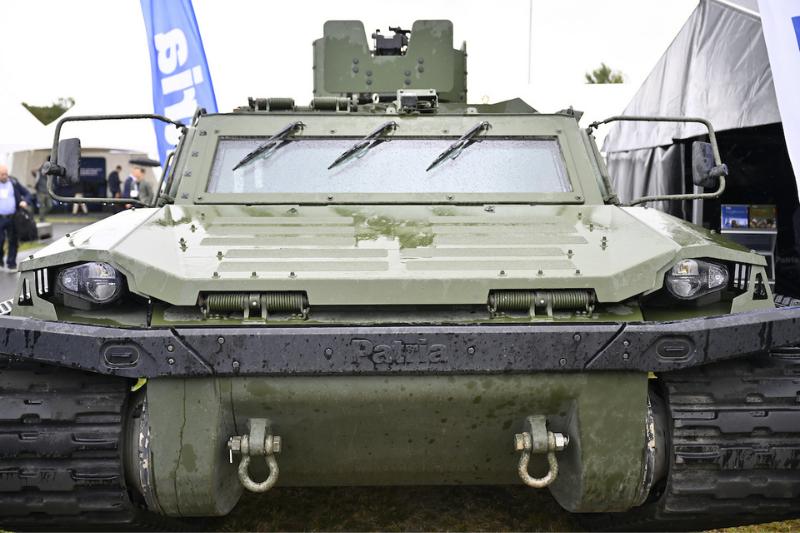
MCH365: your unique online profiling opportunity 365 days a year
Complete your free profile
- Tell customers about your company, strengths, and advantages
- Link to your website and social media channels
- Personalise it with your own colour and top banner
- Option to add an exhibition‑specific presentation
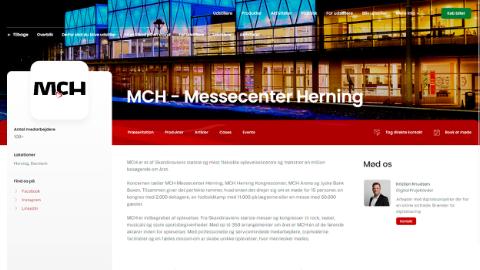
Show your products & solutions
- Description
- Images
- Video
- Indicate whether the product will be brought to the exhibition
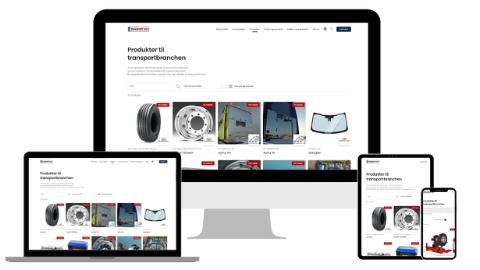
Create events before, during and after the exhibition
Events can be created with a description, photo, start and end time, optional registration, and a unique URL that you can link directly to. For example:
- An official launch
- An activity at your stand
- A webinar
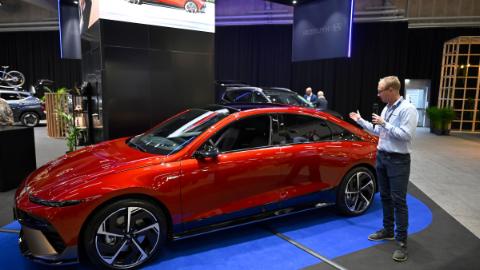
Share your developments & successes
- Create articles/press releases
- Share your news
- Present your different cases